Network
Configure your Recorder to have access by wireless or direct connection.
Wireless Connection
Wireless connection is very important for the Recorder. You can work with the Recorder using wireless connection even if it broadcasts huge ArtNet data.
Wireless connection is used in the following cases:
| Use Case | Description |
|---|---|
| Remote control | Using mobile application (Pixout Remote) or web browser |
| Log information | Sends log information to the Pixout company server in case of any errors our Support Team can find the root cause based on provided logs |
| Automatic updates | Every time the Recorder is turned on, it will check for updates directly from our server, if the Internet network is accessible |
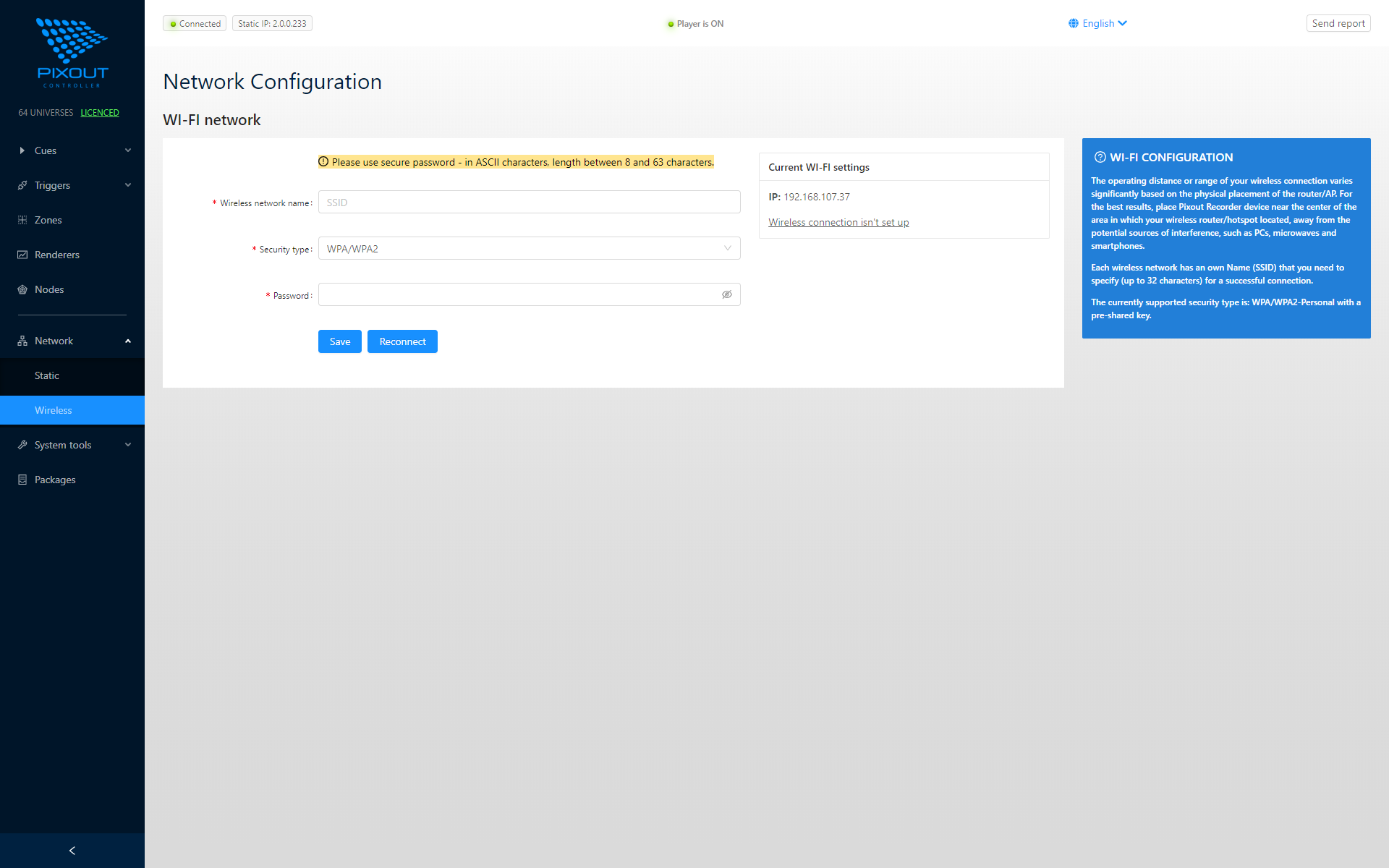
Please specify your router SSID name and password and the Recorder connects as a client.
If you are using Microsoft Windows, you need to setup Bonjour drivers first to support URL like http://pixoutserver.local in the browser. You can download Bonjour for Windows here
When the device is successfully connected to your WiFi network, you can get access to it by DNS-SD URL name or by IP:
| Panel | URL |
|---|---|
| User Panel | http://pixoutserver.local |
| Admin Panel | http://pixoutserver.local/px-admin |
Use AES security method in your router to protect your devices.
Ethernet Static IP Configuration
You can configure IP parameters of Ethernet port manually.
| Parameter | Description |
|---|---|
| IP | Enter a new IP address of the Recorder in dotted-decimal notation |
| Subnet Mask | An address code, which defines the size of the network |
| Broadcast address | An address for data broadcasting for all devices in the network. This address should be specified accordingly to subnet mask (e.g. for 2.0.0.x / 255.0.0.0 it is 2.255.255.255) |
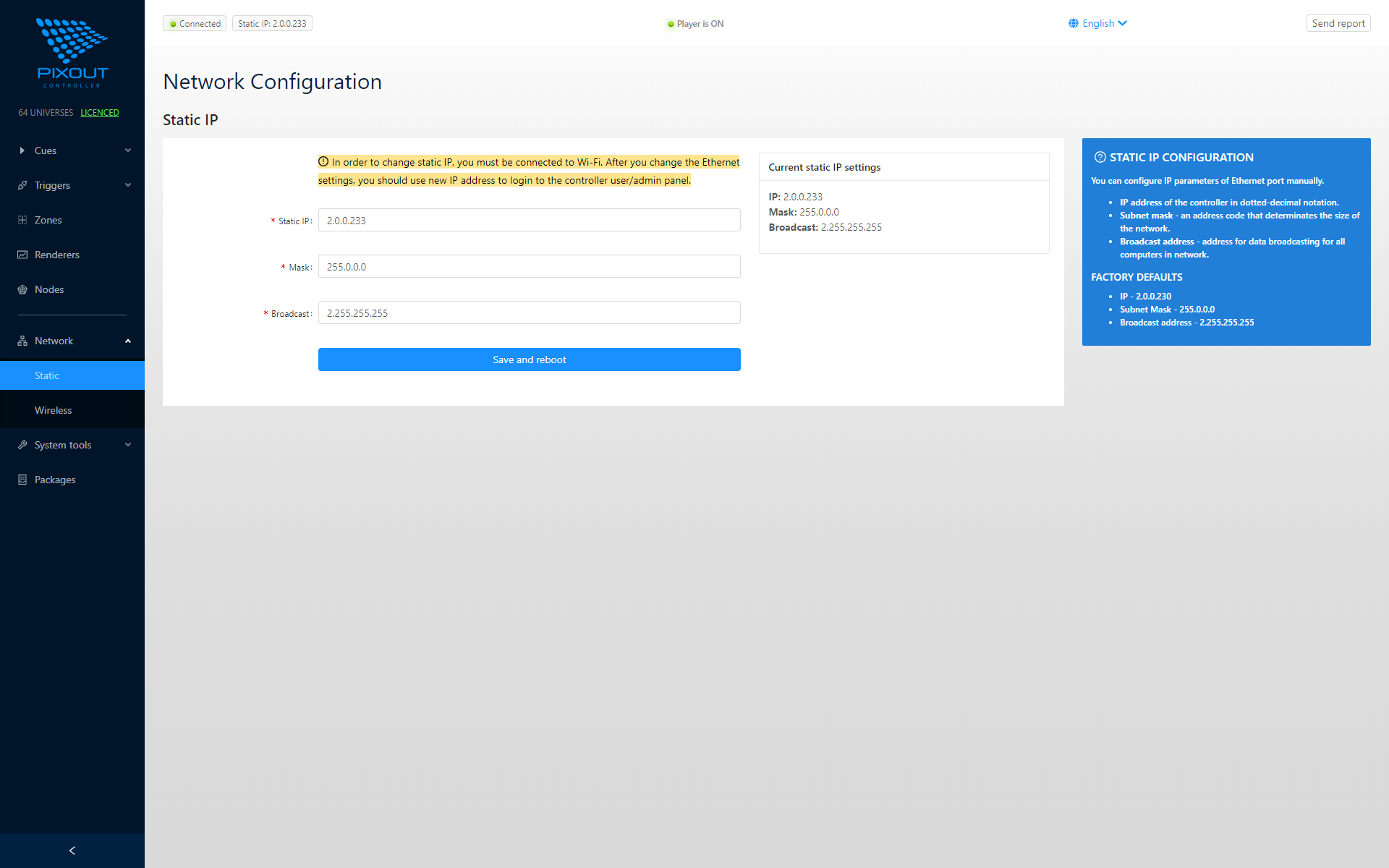
If you want to change static IP, make sure that you have configured wireless connection. In case of any errors, you will still have access to the Recorder's Admin Control Panel using wireless connection.
After you change the Ethernet port address, you must use a new IP address to login to the Recorder's User/Admin Control Panel.