Licensing
You can buy a license for 2 - 64 DMX universes.
Without activating the license, you will have only 1 DMX universe for demo purposes. You should activate the license after you get it.
Activation Methods
There are two ways to activate the license: online and offline.
- Online activation is possible using wireless Internet connection
- Offline activation use this option if you don't have an Internet connection
When connecting to the Recorder for the first time, you will see the following screen:
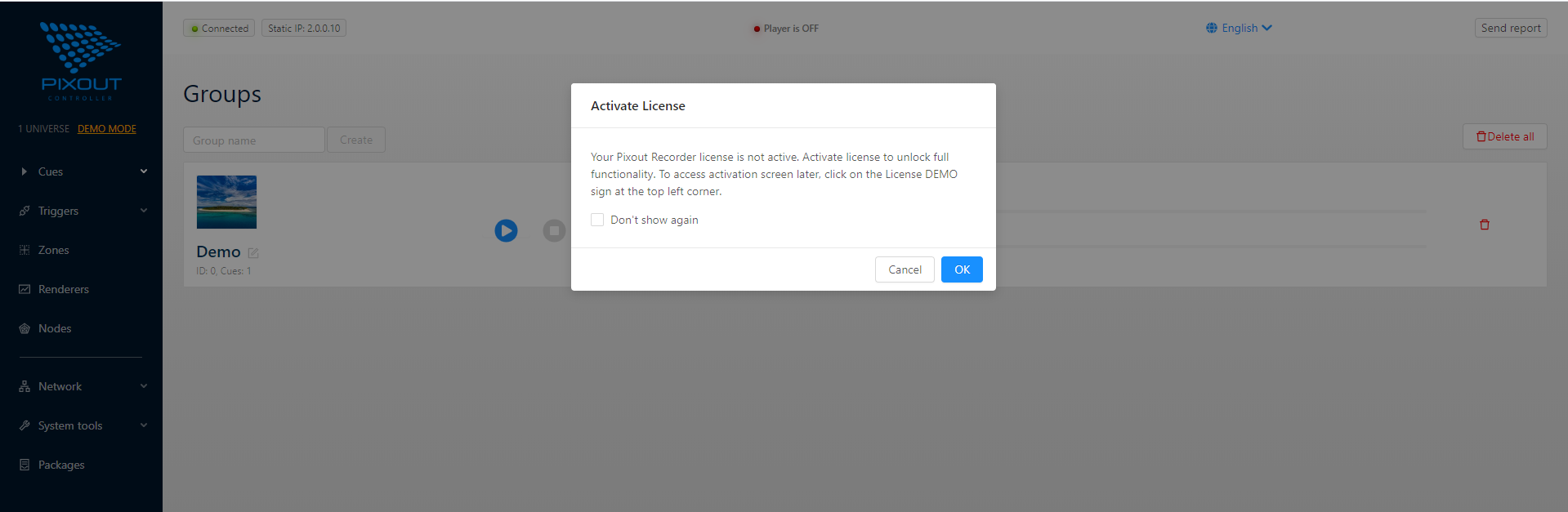
Now it is possible to skip the activation step and continue to work in demo mode with limitation to one universe. Otherwise, please activate the license and get full functionality according to the purchased license.
Online Activation
To activate your license, please click the "OK" button and get to the License section.
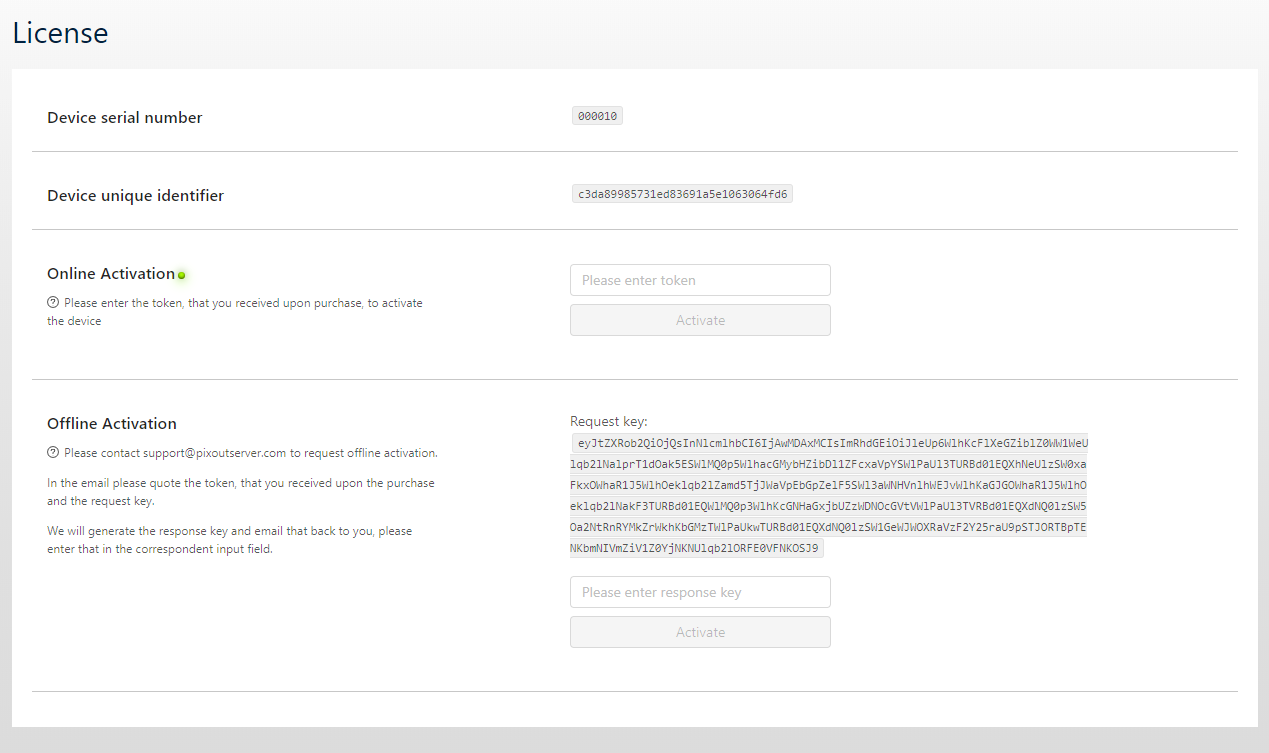
If you are connected to the Internet, it is better to activate license online. Just put the token which you received when purchasing your Pixout Recorder and click the "Activate" button.
Offline Activation
If you are not connected to the Internet, you can use Offline activation:
- Copy the "Request Key" from the License section
- Send an activation request to our Support Team via support@pixoutserver.com
- Put the provided token to "Response Key" field
- Click the "Activate" button
Reactivation
If your SD card is corrupted, you should flash a new SD card on the same Recorder where it was activated for the first time, as described in section Unboxed Version and reactivate your license with the same activation key.
Renew the License
If your Pixout Recorder has stopped working and you can't access it, you should use a new device and renew your license for it. If this is the case, please contact our Support Team via support@pixoutserver.com
Upgrade the License
If you need more DMX universes than you have, you don't need to buy a new Recorder with a new license. Please buy only one new license and use it with your current device. Activate your new license the same way as for the first time.