Licensing
Without activating a license, you will have only 1 DMX universe available for demo purposes. Activate your license to unlock the full functionality.
License Activation
When connecting to the Converter for the first time, you will see the activation prompt:
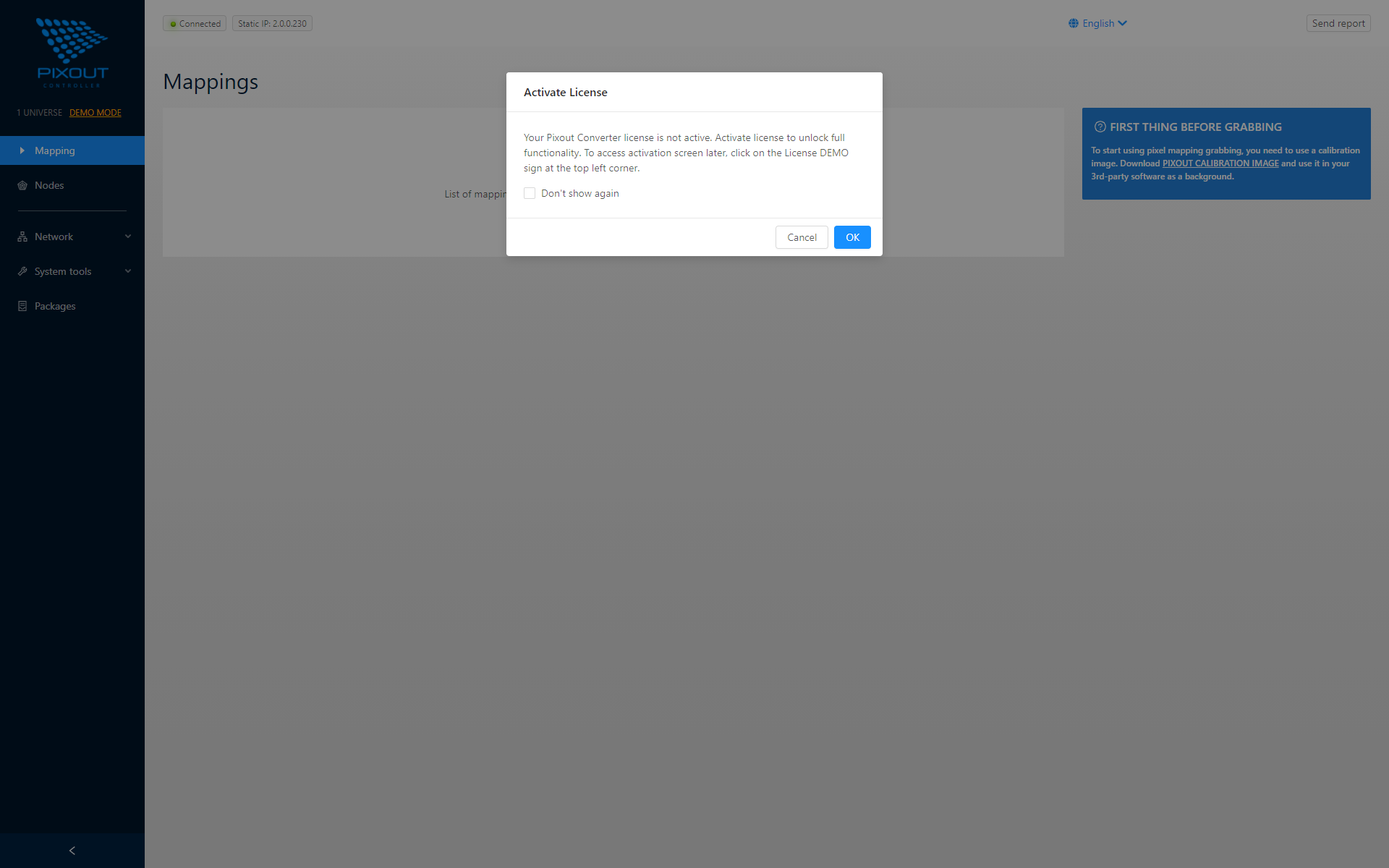
You can skip activation and continue in demo mode (limited to one universe), or activate immediately to unlock full functionality.
Activation Methods
Online Activation
If your PC is connected to the Internet:
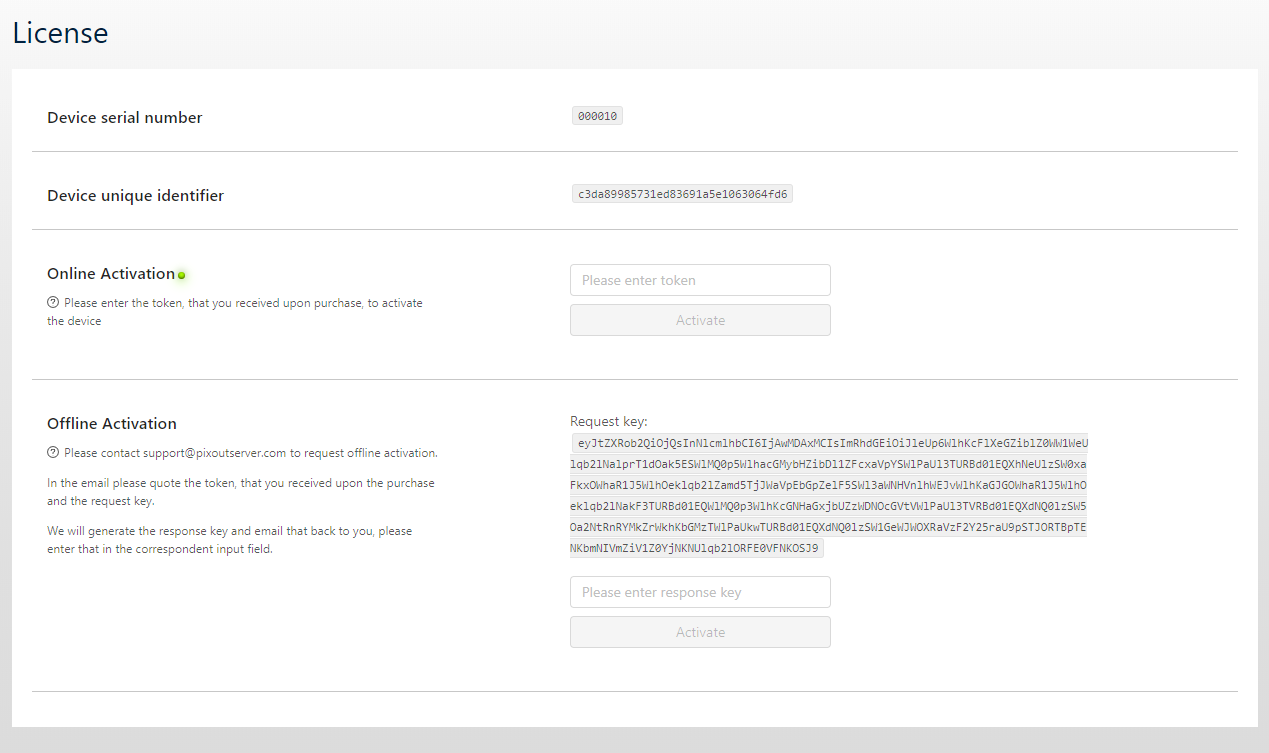
- Click OK to go to the License section
- Enter the token you received when purchasing the Converter
- Click Activate
Offline Activation
If you don't have an Internet connection:
- Copy the Request Key shown on screen
- Send an activation request to support@pixoutserver.com with the Request Key
- Enter the provided token in the Response Key field
- Click Activate
Renew License
If your Converter is damaged and stops working, contact the Support Team. If the hardware is repaired (not replaced), you can reactivate the license on the same hardware.
Contact: support@pixoutserver.com
Upgrade License
Currently, the Converter supports up to 512 universes (30 FPS). Future firmware updates may increase this limit. When upgrades become available, you can purchase a new license and activate it the same way as the original license—no hardware upgrade required.
Support
For technical questions: support@pixoutserver.com
For sales inquiries: sales@pixoutserver.com