Packages
The Converter software uses a modular architecture where all system components are organized into packages. Each package has its own version and name.
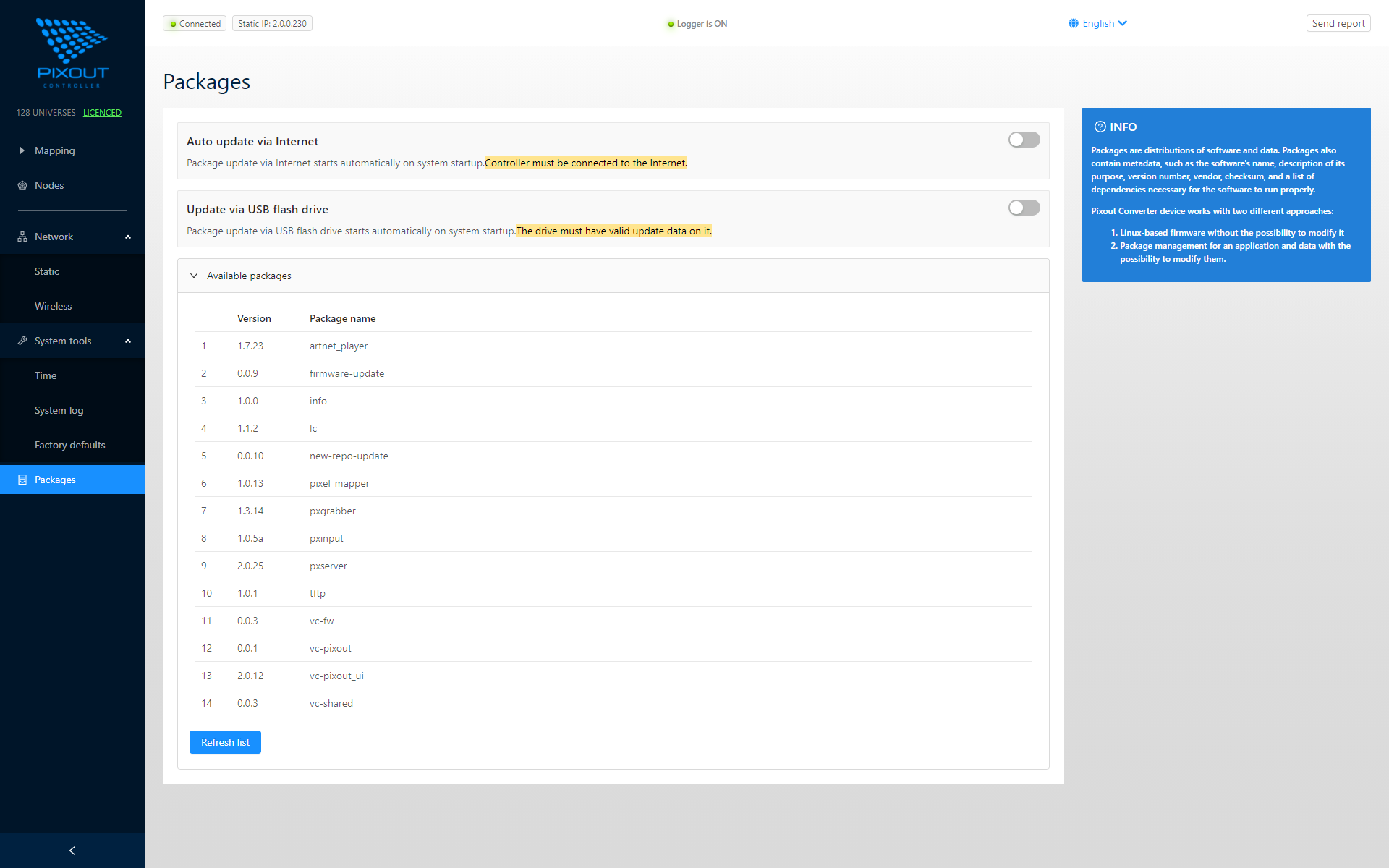
Package Updates
Packages can be upgraded:
- Automatically - From Pixout servers on system startup (if Internet is available)
- Manually - Through the Admin Panel
Auto Update Setting
Important for Installers
All Converters ship with Auto Update via Internet turned OFF.
Before delivering to an end-user, verify this setting remains OFF. Enabled Auto Update with Internet connection may trigger system package updates during operation, which can affect ArtNet data processing.
Update Methods
| Method | Availability |
|---|---|
| Internet Auto Update | Available (disabled by default) |
| USB Flash Update | Unboxed version only |
Package Management
The Packages page displays:
- Package name
- Current version
- Update status
Regular updates include:
- Bug fixes
- Performance improvements
- New features
- Security patches
Best Practices
- Keep Auto Update OFF for production installations
- Schedule updates during maintenance windows
- Test updates on non-critical systems first
- Document versions for troubleshooting