Nodes
The Art-Net Nodes page lists all available devices on your local network that support the Art-Net poll/reply protocol and can send/receive ArtNet packets with DMX data.
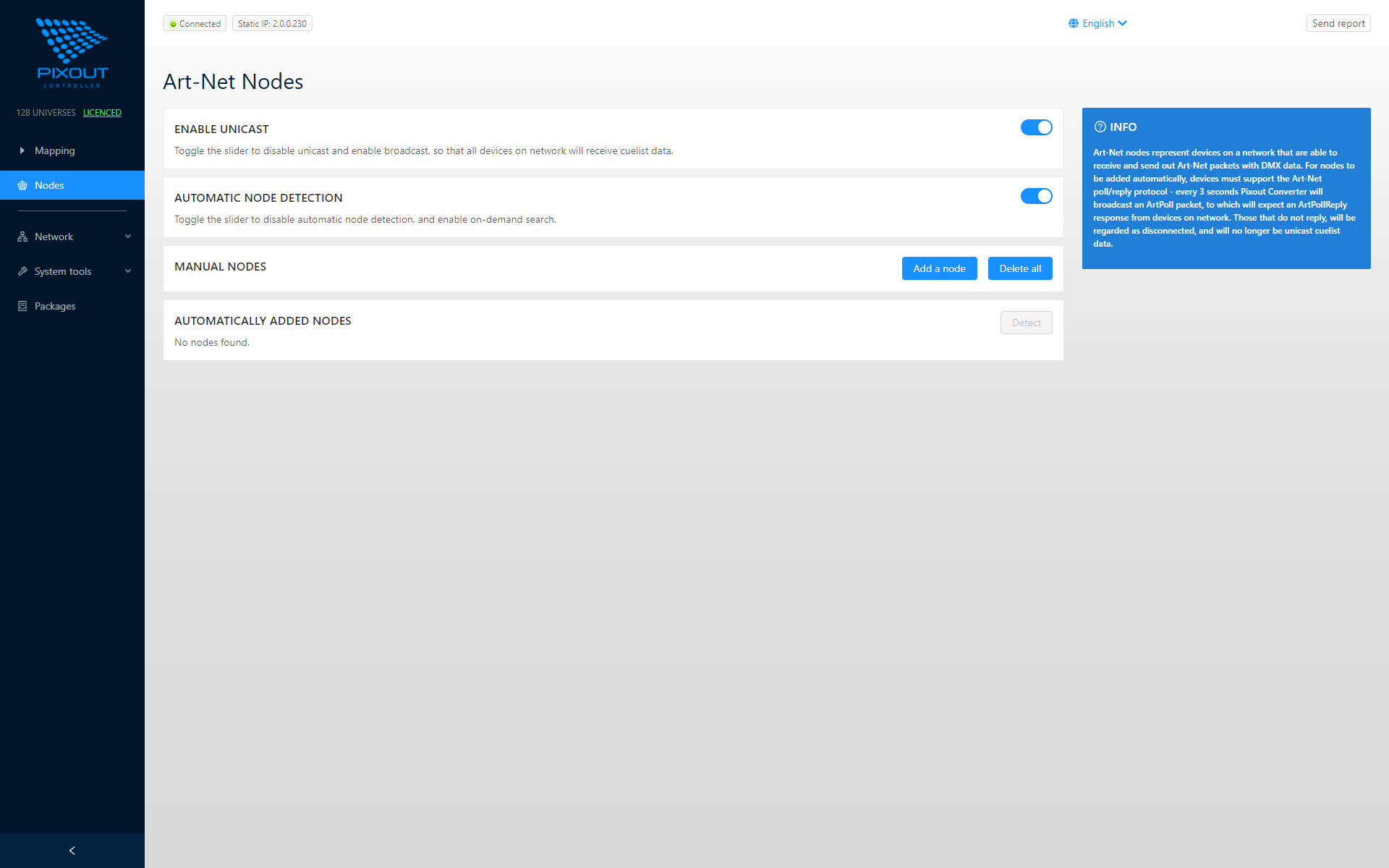
Unicast vs Broadcast
Broadcast Mode (Slider OFF)
When Enable Unicast is OFF:
- Broadcast is activated
- The Converter broadcasts an ArtPoll packet every 3 seconds
- Waits for ArtPollReply from devices on the network
- Devices that don't respond are marked as disconnected
Unicast Mode (Slider ON)
When Enable Unicast is ON:
- Broadcast is disabled
- All data is sent to specific unicast IP addresses
- More efficient for large installations
info
Regardless of the unicast/broadcast setting, the Converter will always reply with ArtPollReply to ArtPoll requests from third-party software.
Universe Display
Art-Net Nodes displays universe values as +1:
| Internal Value | Displayed Value |
|---|---|
| Universe 0 | 1 |
| Universe 1 | 2 |
| Universe n | n+1 |
Automatic Node Detection
When Automatic Node Detection is ON:
- Found nodes are automatically added to the list
- Lost nodes are automatically removed
- Real-time network monitoring
When OFF:
- Use the Detect button for manual node polling
- Nodes remain in the list until manually removed
Manual Nodes
For devices without ArtPoll support, use the Manual Nodes option:
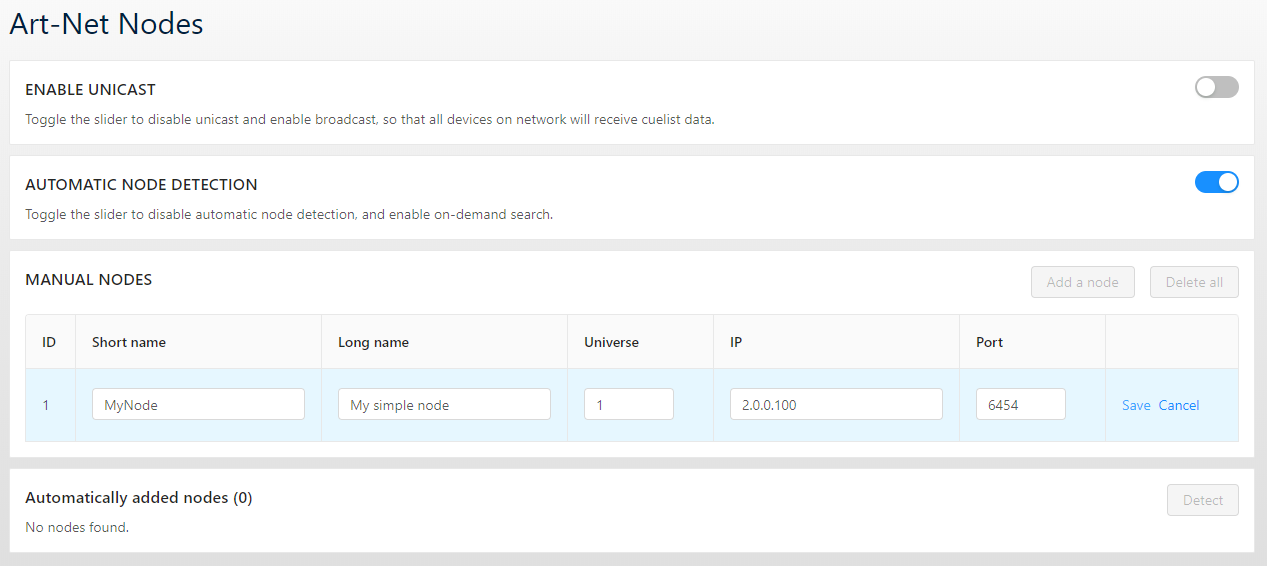
Manual nodes can be used alongside automatic detection to ensure all your devices are properly addressed.
Best Practices
- Use Unicast for large installations - Reduces network traffic
- Enable Automatic Detection during setup to discover all nodes
- Add Manual Nodes for legacy devices without ArtPoll support
- Verify universe assignments match your pixel mapping configuration